
Last updated on September 30th, 2026 at 09:22 am
A Chicago marketing team met every Monday for an hour. After six months, someone added up the cost: over 300 staff hours, and no one could name a single decision the meetings had produced.
Knowing how to conduct a meeting well is one of the most practical leadership skills, because a well-run meeting saves time, settles decisions, and brings people together.
A poorly run one, as the Chicago team found, quietly drains hours and morale.
Many people who run meetings were never taught how, so they copy the habits they have seen, good and bad. That is fixable with a few simple habits.
The sections below cover what to do before, during, and after a meeting, how to handle common problems, and how to run virtual and hybrid meetings.
You might want to read how to be a chairman in a meeting.
Table of Contents
Why Meetings Go Wrong
According to research by Leslie Perlow, Constance Noonan Hadley, and Eunice Eun, executives spend nearly 23 hours a week in meetings, up from under 10 hours in the 1960s.
In their survey of 182 senior managers, a majority said too many meetings were unproductive, kept them from their own work, and failed to bring teams closer.
Common causes include no clear purpose, the wrong people in the room, no agenda, discussions that wander, and decisions nobody follows up on.
The good news is that fixing meeting habits pays off, and one company using the researchers’ approach reported a 42 percent rise in collaboration.
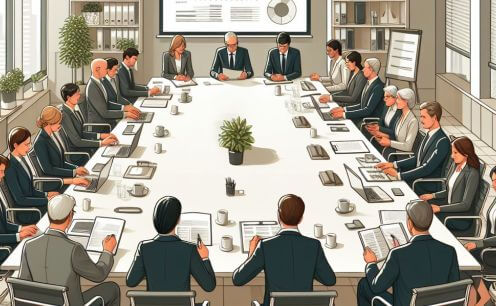
Types of Meetings and What Each Needs
Different meetings need different approaches.
| Type | Purpose | Ideal Length | Key Tip |
|---|---|---|---|
| Daily stand-up | Share progress and blockers | 10 to 15 minutes | Keep it standing and brief |
| Team meeting | Coordinate work and share updates | 30 to 60 minutes | Send updates in advance and use time for discussion |
| Decision meeting | Choose between options | 30 to 60 minutes | Share options and data beforehand |
| Brainstorming | Generate ideas | 45 to 90 minutes | Separate idea generation from judging |
| One-on-one | Support and develop a person | 20 to 30 minutes | Let the employee set part of the agenda |
| Board or committee | Formal decisions and oversight | Varies | Follow bylaws and record motions |
Matching the format to the purpose is the quickest way to cut wasted time.
Before the Meeting
1. Decide If You Need a Meeting at All
If the goal is simply to share information, an email or short update may work better. Meet when you need discussion, decisions, or relationship building.
2. Define the Purpose
Write one sentence stating what the meeting must achieve, such as “Choose a vendor for the new software.”
3. Invite the Right People
Include those who must decide, contribute expertise, or carry out the outcome, and leave others free to work.
4. Prepare and Share an Agenda
List topics in priority order with a time limit for each, and send it at least a day ahead with any reading.
A simple agenda might look like this.
| Item | Time | Lead | Goal |
|---|---|---|---|
| Welcome and purpose | 2 min | Chair | Confirm what the meeting must achieve |
| Review last actions | 5 min | Note-taker | Check progress on agreed tasks |
| Vendor options | 20 min | Project lead | Discuss pros and cons |
| Decision | 10 min | Chair | Choose a vendor |
| Next steps | 5 min | Chair | Assign owners and deadlines |
5. Assign Roles
Choose a facilitator, a timekeeper, and a note-taker, since formal meetings rely heavily on the duties of a meeting secretary.
How to Conduct a Meeting Step by Step
1. Start on Time
Begin at the scheduled minute, which respects those who arrived promptly and signals the meeting matters.
2. State the Purpose and Ground Rules
Open by repeating the goal, the agenda, and expectations such as phones away and one speaker at a time.
3. Guide the Discussion
Keep conversation on the agenda, summarize points as you go, and park unrelated topics for later.
4. Draw Everyone In
Invite quieter members by name and limit dominant voices, using techniques from inclusive, participative leadership.
5. Manage Time
Watch the clock, and if a topic runs over, decide as a group to extend it, shorten another item, or continue later.
6. Reach Clear Decisions
Before moving on, state what was decided and how, so no one leaves with a different version.
7. Assign Actions
Every task needs one owner and a deadline, recorded before the meeting ends.
8. End on Time With a Summary
Close by recapping decisions and actions, and finish early if the work is done.
After the Meeting
Send a short summary within 24 hours listing decisions, action items, owners, and deadlines, following the tips in writing useful meeting notes.
Check progress before the next meeting, and open that meeting by reviewing completed actions.
Occasionally ask attendees how meetings could improve, since the people sitting through them know best what wastes their time.
Signs Your Meetings Are Working
- Every meeting ends with clear decisions or next steps.
- People arrive prepared because materials came in advance.
- Discussion includes more than the same two or three voices.
- Meetings regularly finish on time or early.
- Action items are completed before the next meeting.
- People would miss the meeting if it were canceled.
If several of these are missing, start by tightening the agenda and cutting the invitation list.
Handling Common Meeting Problems
- One person dominates: Thank them, then invite others directly: “Let’s hear from someone who hasn’t spoken yet.”
- Discussion goes off track: Note the topic for later and return to the agenda.
- Conflict flares: Acknowledge the disagreement, separate people from the problem, and stay calm, drawing on keeping emotions steady under pressure.
- No one speaks: Ask specific questions or give people a minute to write ideas before sharing.
- People arrive late: Start anyway and do not recap for latecomers, which rewards punctuality.
- No decision is reached: Agree on what information is missing, who will get it, and when you will decide.
Running Virtual and Hybrid Meetings
Online meetings need even more structure, since people are easily distracted and cues are harder to read.
Ask people to keep cameras on when practical, use the chat and hand-raise features, and call on remote attendees first in hybrid meetings so they are not overlooked.
Keep virtual meetings shorter, and build in short breaks during longer sessions.
Formal Meetings
Boards, associations, and committees usually follow formal procedures, with a chair, a quorum, motions, votes, and official minutes.
In the United States, many organizations use Robert’s Rules of Order to keep debate fair and orderly.
Leading any meeting well draws on the wider skills described in the essentials of strong leadership.
Conclusion
The Chicago team eventually cut its Monday meeting to 20 minutes with a clear agenda, and decisions finally started coming out of it.
Good meetings start with a clear purpose, the right people, and a shared agenda, then stay on time and end with owners and deadlines.
Research shows many executives see meetings as wasted time, but deliberate changes can turn them into real collaboration.
Before your next meeting, write its purpose in one sentence and cancel it if you cannot.
Frequently Asked Questions
How do you conduct a meeting effectively?
Set a clear purpose, invite only necessary people, share an agenda in advance, start and end on time, guide discussion, and assign owners and deadlines for every action.
What should a meeting agenda include?
It should list the meeting’s purpose, topics in priority order, time limits, who leads each item, and the decision or outcome needed for each.
How do you start a meeting?
Begin on time, welcome attendees, restate the purpose and agenda, confirm roles such as note-taker and timekeeper, and briefly review actions from the last meeting.
How do you handle someone who dominates a meeting?
Thank them for their input, then invite others by name, and if it continues, speak with them privately about giving everyone a chance to contribute.
This post doesn’t yet link to the chairman post. Once /role-of-the-chairman/ is live, change the “Formal Meetings” link text to point there, or add it in the “Assign Roles” step.

Pious Clements writes about character, conduct, and the deeper questions of how a life is lived. He is the founder of The Conducts of Life, a site built on the belief that how you behave, not what you achieve, defines who you are. His writing draws from decades of observation, lived experience, and serious thinking about human nature, ethics, and self-development. He writes to be useful, not popular.